Amazing Features to Speed Up, Tune Up & Revive Your PC
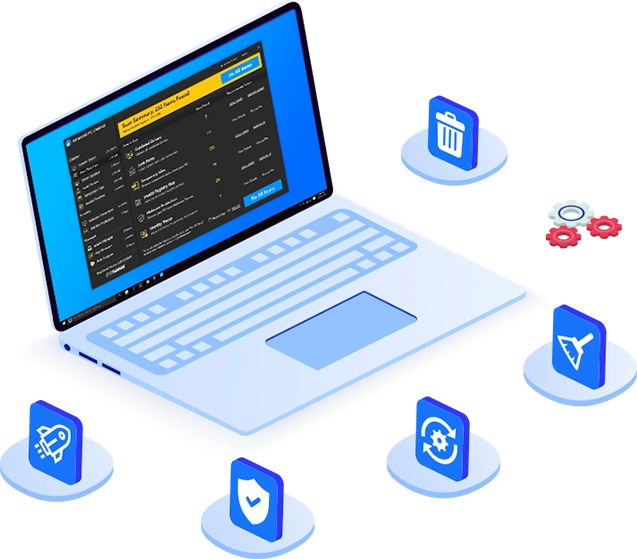
Advanced PC Cleanup is the most powerful PC cleaner and optimizer software for Windows. Get rid of junk and temporary files to recover disk space and boost PC speed with faster response and load times. Update outdated device drivers to keep your devices running at their best. Remove malware and saved information to secure your identity and system at the same time. All this and much more in just one package.

One Click Care
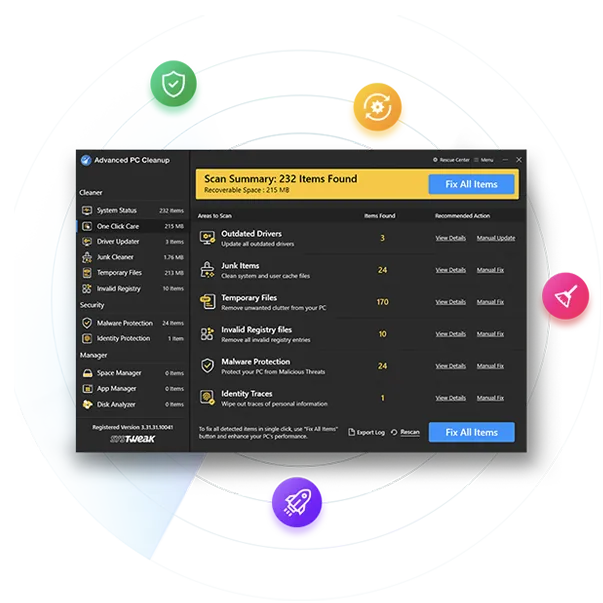
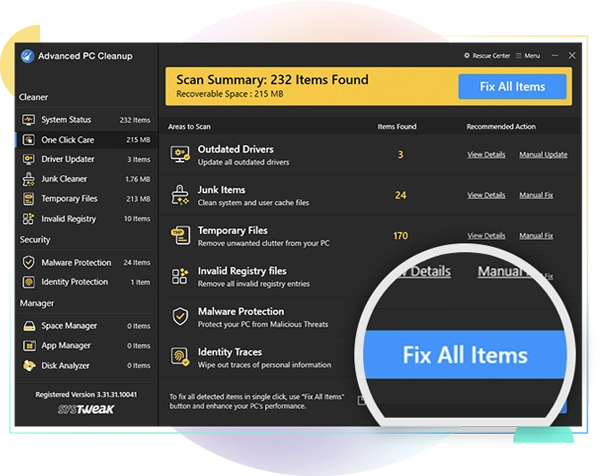
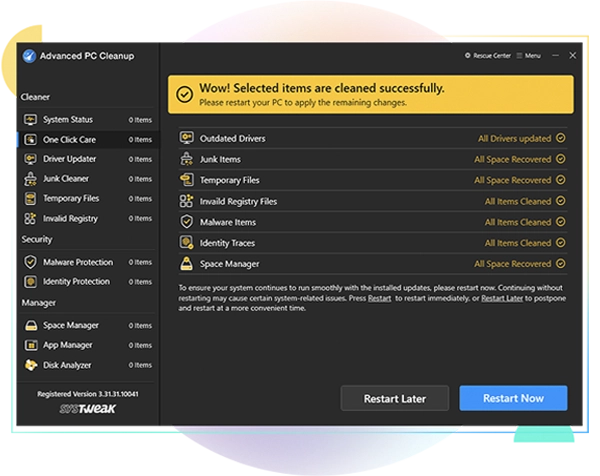
Advanced PC Cleanup's One Click Care feature does it all. Whether it be outdated device drivers, junk & temporary files, invalid registry entries, malware infections or personal identity traces, this feature fine tunes your PC in 1-click.

Driver Updater
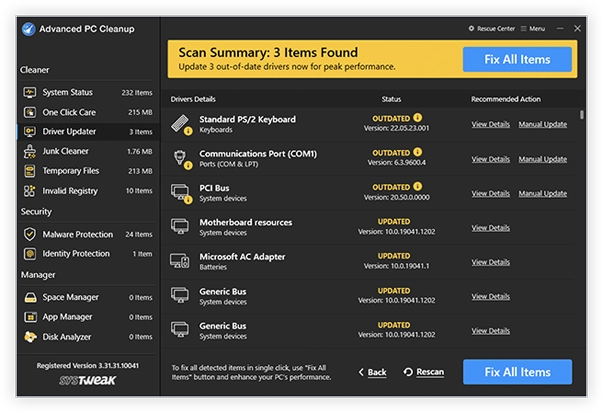
Driver Updater is a powerful driver updating tool that helps fix driver-related issues. Update old drivers to the latest compatible, manufacturer-recommended drivers & instantly boost PC performance in 1-click.

Malware Protector
The scan shows all the malware, adware, ransomware and PUPs present in your system. Advanced PC Cleanup removes all of the malicious files present on your PC and saves your data from being infected or corrupted.

Junk Cleaner
User created cache files and system cache can take a lot of storage space on your PC. In time, this clutters the storage and messes with your PC performance. Junk Cleaner ensures that PC is free from all such files.

Invalid Registry Cleaner
To make sure your PC functions well, you need to remove invalid Windows Registry entries. Deleting Registry entries comes as an easy task with Advanced PC Cleanup. It scans and takes out all of them in one click.

Startup Manager
Advanced PC Cleanup shows you a list of Startup apps which launches, each time your PC boots. You can disable all the unwanted Startup items except a few programs which are required for your PC to boot.

Uninstall Manager
With time, we keep installing apps on our PC, out of which only a few are used regularly. All these unused apps occupy storage space and with Advanced PC Cleanup, you can remove them from the list.

Disk Analyzer
Identify large files & folders, delete obsolete ones and de-clutter your data to free-up hard disk space and organize files on your PC. Manage your disk space prudently and help your hard disk perform at its best again.
Remove unwanted clutter & junk files in 1-click to speed up slow PC
Advanced PC Cleanup is a powerful, all-in-one PC optimizer designed to keep your computer running like new. With One Click Care, you can instantly boost performance and fix common issues in 1-click. Driver Updater ensures your device drivers stay current for maximum hardware performance while Malware Protector scans and removes harmful threats. Junk Cleaner, Temporary Files & Invalid Registry Cleaner eliminate clutter and reclaim wasted space and fine-tune your system for smoother operation. This PC Cleaner is your all-in-one solution for speed, stability, and security.
For Windows 11, 10, 8.1, 8 and 7 (32 & 64 Bit)
Fix All Driver Issues with Driver Updater & Boost Performance
To achieve peak performance on Windows, it’s necessary to have the right device drivers. Most drivers are installed along with the operating system. However, with time they get outdated, resulting in poor system performance and limited hardware functionality. Therefore, it is very important to update them from time to time. With Driver Updater, you can install the latest driver updates to fix errors, improve compatibility, and avoid crashes.
For Windows 11, 10, 8.1, 8 and 7 (32 & 64 Bit)
Why Choose Advanced PC Cleanup?
Powerful PC cleanup, optimization, driver updates, and complete system security—all in one solution.
-

Faster PC Speed
Enjoy smoother performance, quicker startups & lag-free computing experience.
-

Fewer System Crashes
Reduce freezes, errors, and unexpected shutdowns for a more stable PC.
-

Updated PC Drivers
Eliminate device issues and enjoy smoother, more reliable overall PC performance.
-

Malware-Free PC
Avoid malware attacks & keep your system and personal data safe from threats.
-

More Free Storage
Reclaim valuable disk space for important files, apps, and smoother operation.
3 Easy Steps to Speed Up Your PC
Optimize Your PC in just 3 Clicks
Frequently Asked Questions
Have Questions? Here We Are To Help!
Yes, to update outdated drivers detected by Advanced PC Cleanup, follow these steps:
- 1. Launch Advanced PC Cleanup.
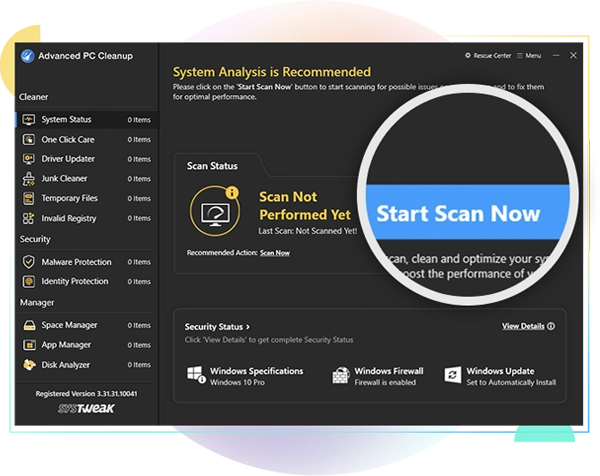
- 2. Click the Start Scan Now button to identify outdated drivers.
- 3. Once the scan is finished, you will get a list of outdated drivers. Review the list and update corrupt, missing, or incompatible drivers.
- 4. Click the Fix All Items button to update all detected outdated drivers at once.
Please note: If you are using the trial version to test how the app works, click 'Manual Update' next to the driver you wish to update. Trial version users can update only one driver at a time.
Updating outdated drivers from time to time improve your system's overall performance, security, and compatibility. Here’s a breakdown of the key benefits:
- 1. Improved System Stability: New drivers often fix bugs or glitches found in older versions, reducing system crashes, freezes, or errors.
- 2. Optimized performance: Especially for GPU, network, and storage drivers, updates can improve speed, responsiveness, and efficiency.
- 3. Enhanced Security: Outdated drivers can have security flaws that are exploited by malware or hackers. Updates often close these gaps.
- 4. Compatibility with New Software and Hardware: New drivers are often needed to work properly with updated versions of Windows. Additionally, newer components (GPUs, printers, etc.) often require current drivers for full feature support.
Thorough testing and WHQL-certified driver updates make Advanced PC Cleanup a trusted and safe tool for updating system drivers. It helps keep your PC stable, secure, and optimized for performance. Also, Advanced PC Cleanup is AppEsteem certified, meaning it adheres to strict consumer protection and software transparency standards. It updates drivers using only WHQL-certified versions sourced from verified channels, reducing the risk of system instability or malware. Before applying any updates, the application automatically backs up existing drivers, allowing for easy restoration if needed.
Over time a lot of junk is created on the computer with temporary and unused files. The scan by Advanced PC Cleanup will show you all the junk, temporary and trash files. The disk space occupied by these files will help you understand how much space can be recovered by deleting all of them. It also removes unwanted registry entries which will help in stabilizing the system settings.
A number of personal information including your email address and password is saved on various websites. This poses a threat to you as the information is vulnerable to attacks and identity getting stolen. Advanced PC Cleanup will save you from all the threats by scanning for all the identity traces saved online. Upon the scan list, it shows which website has saved the personal data and you can remove it permanently.
Advanced PC Cleanup is efficient in the optimization of the Windows computer. With the various tools used to clean up the junk and unused files and programs from the computer, it works in boosting system speed. The Startup Manager shows you a list of programs that start when the computer boots. You can decide to stop them from running every time the computer by removing them from the list within the tool.
Yes, Advanced PC Cleanup is a beneficial tool for Windows if you wish to remove any apps and programs from the storage permanently. The Old downloads is a dedicated section for the unused apps which are sitting in your computer disk taking up too much space. When you click on it, the scan shows you the list of all the programs along with their file size which helps you decide what has to be removed from the computer.
Advanced PC Cleanup not only takes care of the useless clutter on your computer, but also safeguards it against malicious intrusions such as virus, trojans, spyware and adware etc. Moreover, the spyware definitions are also updated regularly to ensure that not even the newest threats can pose any harm to your data or PC.
Download Advanced PC Cleanup
One-Stop Cleaning & Optimization Tool For Windows!

For Windows 11, 10, 8.1, 8 and 7 (32 & 64 Bit)