APC Logo
  • Home
  • Features
  • Buy Now
  • Faq's
  • User Guide
  • Contact Us
Download
  • Introduction
  • User Interface
  • Installation Guide
    • System Requirements
    • Download And Install
    • Purchase Advanced PC Cleanup
    • Register Advanced PC Cleanup
  • Product Features
    • One Click Care
    • Driver Updater
    • Junk Cleaner
    • Temporary Files
    • Invalid Registry
    • Malware Protection
    • Identity Protection
    • Space Manager
    • App Manager
    • Disk Analyzer
  • Advanced Settings
    • Settings and Customization
    • Scan Area
    • Exclusion
    • Schedule
  • General FAQs

Home / User Guide / Product Features / Disk Analyzer

Disk Analyzer

In a graphical manner, see how your hard drive space is being used. This module scans selected drives and provides a breakdown of space occupied by file type, folder, and size. To use it, follow these steps:

How To Remove Unwanted Files From The Hard Drive And Free Up Space?

1. Open Disk Analyzer from the left panel.

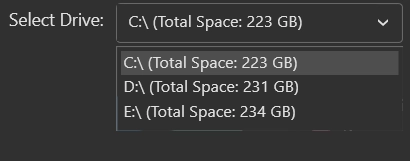
2. From the main screen, select the drive you want to analyze:
Old Downloads

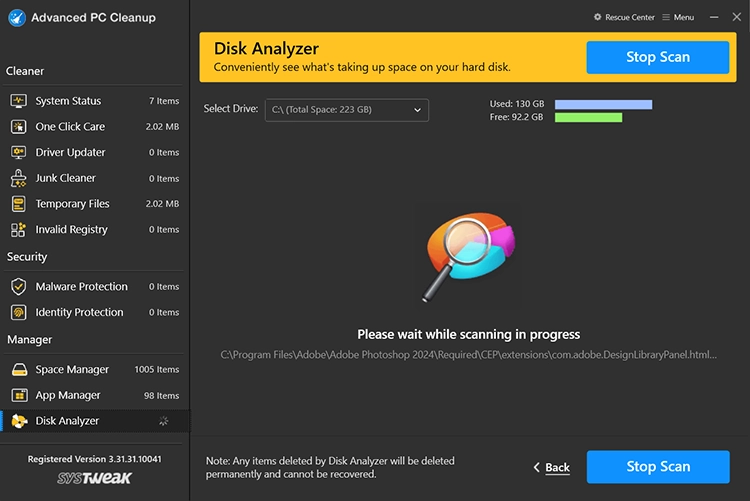
3. Click Start Scan Now to start the process.
Old Downloads

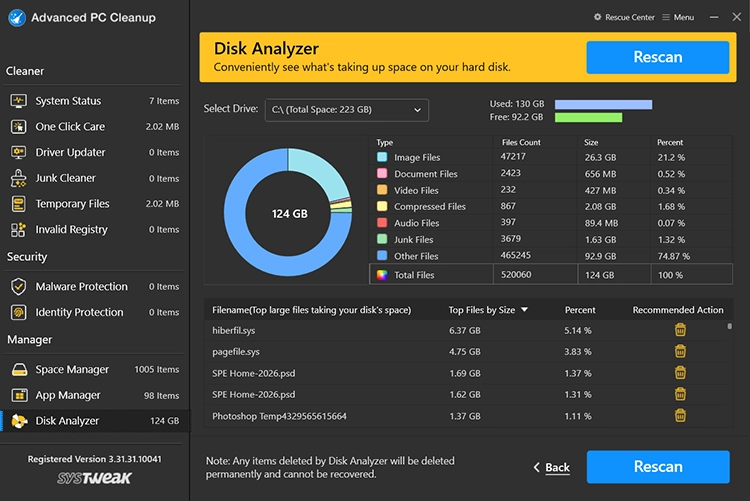
4. Once the scan completes, you’ll see a summary of disk usage in the form of a Pie chart and a list view categorized under File Name. Top Files by Size, Percent, Recommended Action.
Old Downloads

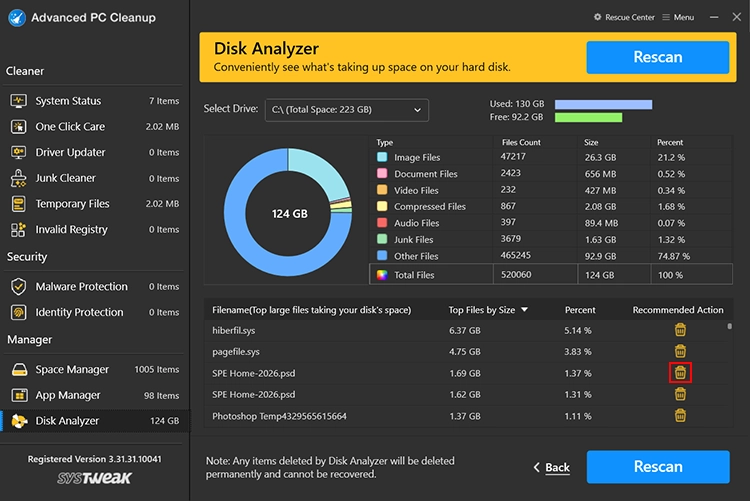
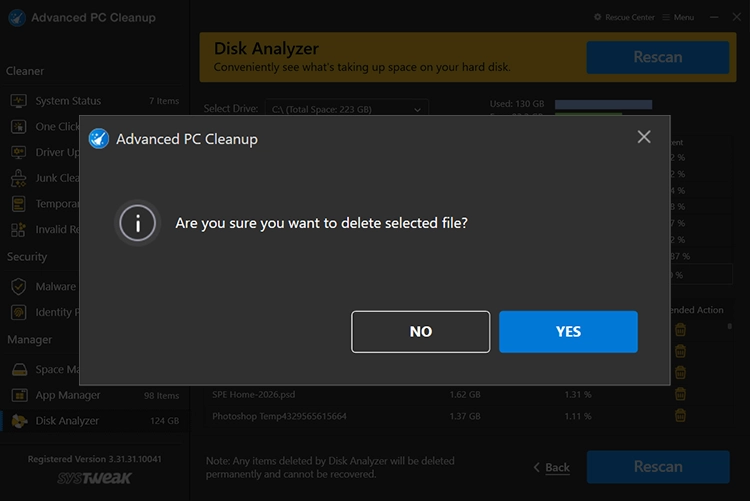
5. Review the scan results and delete unwanted files. Remember, the files you delete from here will be permanently deleted, so reconfirm each file before clicking the Trash icon.
Old Downloads

Old Downloads

  • Features
  • Contact Us
  • EULA
  • Terms of use
  • Privacy Policy
  • Refund Policy
  • Uninstall Instructions
Copyright © Systweak Software, 1999- All rights reserved.

Microsoft and Windows are trademarks owned by Microsoft Corporation. Systweak Software is not affiliated, associated, authorized, endorsed by, or in any way officially connected with Microsoft or Windows in any manner. Mac and OSX are trademarks owned by Apple Inc. all across the US and other countries. Other trademarks also belong to their respective owners.